sales06@switek.biz

+86 186 5927 5869

Shopping

Subscrib to Us
sales06@switek.biz
+86 186 5927 5869
Shopping
Subscrib to Us

Keywords:Panasonic A6 Servo Installation Instruction, Panasonic A6 Driver, Panasonic A6 Series Servo Motor Manual
The correct setup of the parameter and mode of the Panasonic A6 series of servo will ensure the proper working of the Panasonic A6 series of motor and the stability of your machineries and automation system.
| Parameter No. | Title | Range | Default | Unit | Turning on of power supply | Related Control Mode | Detail page | ||||||
|---|---|---|---|---|---|---|---|---|---|---|---|---|---|
| Class | No. | A,B-frame | C-frame | D,E,F-frame | P | S | T | F | |||||
| 0 | 00 | Rotational direction setup | 0 to 1 | 1 | — | ○ | ○ | ○ | ○ | ○ | 4-6 | ||
| 0 | 01 | Control mode setup | 0 to 6 | 0 | — | ○ | ○ | ○ | ○ | ○ | |||
| 0 | 02 | Real-time auto-gain tuning setup | 0 to 6 | 1 | — | ○ | ○ | ○ | ○ | 4-7 | |||
| 0 | 03 | Selection of machine stiffness at real-time auto-gain tuning | 0 to 31 | 13 | 11 | — | ○ | ○ | ○ | ○ | 4-8 | ||
| 0 | 04 | Inertia ratio | 0 to 10000 | 3 | % | ○ | ○ | ○ | ○ | 4-9 | |||
| 0 | 05 | Selection of command pulse input | 0 to 2 | 0 | — | ○ | ○ | ○ | |||||
| 0 | 06 | Command pulse rotational direction setup | 0 to 1 | 0 | — | ○ | ○ | ○ | 4-10 | ||||
| 0 | 07 | Command pulse input mode setup | 0 to 3 | 1 | — | ○ | ○ | ○ | |||||
| 0 | 08 | Command pulse counts per one motor revolution | 0 to 223 | 10000 | pulse | ○ | ○ | 4-11 | |||||
| 0 | 09 | 1st numerator of electronic gear | 0 to 230 | 0 | — | ○ | ○ | ||||||
| 0 | 10 | Denominator of electronic gear | 0 to 230 | 10000 | — | ○ | ○ | ||||||
| 0 | 11 | Output pulse counts per one motor revolution | 1 to 2097152 | 2500 | P/r | ○ | ○ | ○ | ○ | ○ | 4-12 | ||
| 0 | 12 | Reversal of pulse output logic | 0 to 3 | 0 | — | ○ | ○ | ○ | ○ | ○ | 4-14 | ||
| 0 | 13 | 1st torque limit | 0 to 500 | 500*1 | % | ○ | ○ | ○ | ○ | ||||
| 0 | 14 | Position deviation excess setup | 0 to 230 | 10000 | Command unit | ○ | ○ | ||||||
| 0 | 15 | Aqbsolute encoder setup | 0 to 4 | 1 | — | ○ | ○ | ○ | ○ | ○ | |||
| 0 | 16 | External regenerative resistor setup | 0 to 3 | 3 | 0 | — | ○ | ○ | ○ | ○ | ○ | 4-15 | |
| 0 | 17 | Load factor of external regenerative resistor selection | 0 to 4 | 0 | — | ○ | ○ | ○ | ○ | ○ | |||
| 0 | 18 | For manufacturer's use | — | 0 | — | ||||||||

SW6710D-20
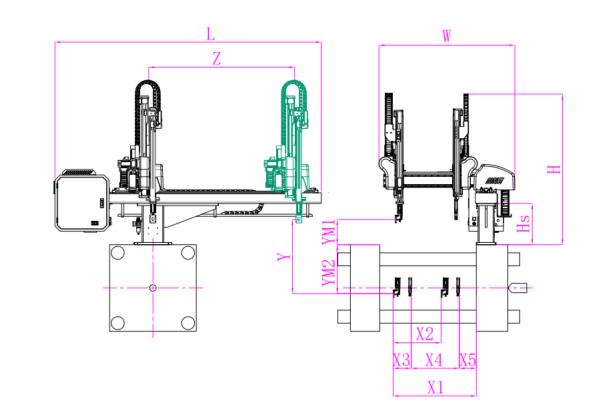
Unit: mm
| X1 | X2 | X3 | X4 | Y | YM1 | YM2 | Z | L | W | H | Payload | 1025 | 1025 | 250 | 590 | 1000 | 475 | 525 | 1750 | 2780 | 1610 | 1930 | 8kg |
|---|
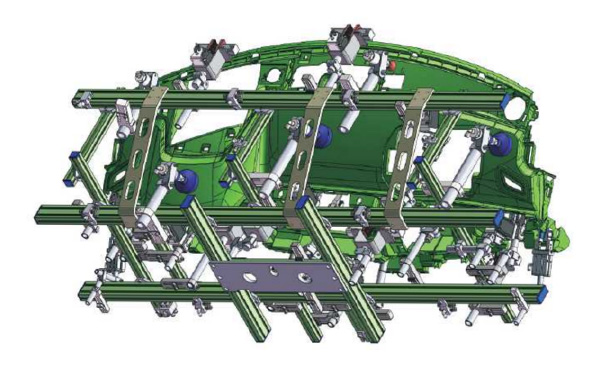
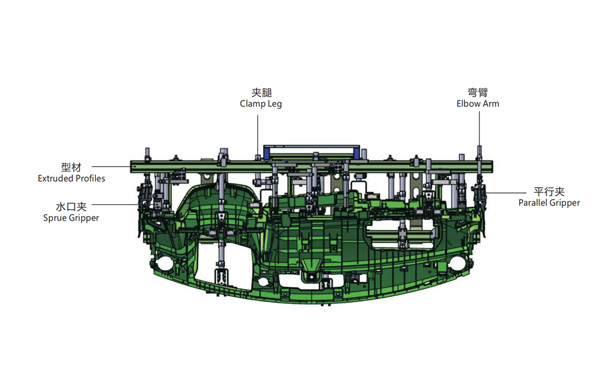
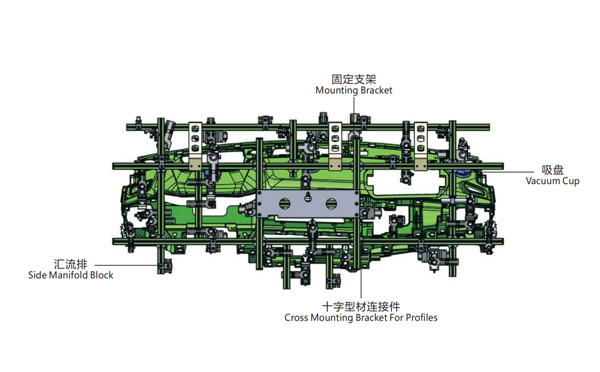
EOAT Assembly Demonstration -- One Cavity Instrument Panel Picking EOAT
Product Descriptions
What is a Picking Robot?
A picking robot in an injection project is a robotic arm which will pick the parts from the mould and have it placed on the conveyor or other automation system to have another processing. The projector will choose a picking robot according to the size of the injection molding machine, the injection cycle time, the weight of the parts etc to choose a picking robot.
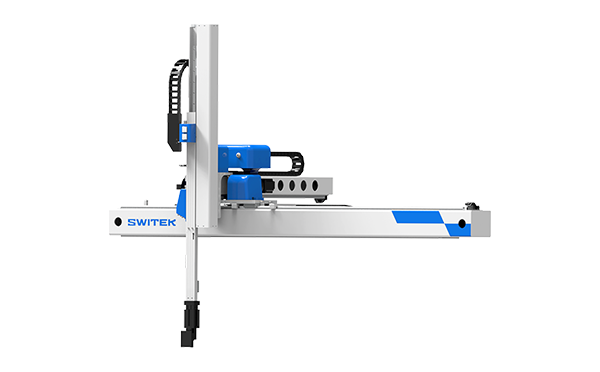
Take the SWITEK hgih speed 3 axis servo robot SW7112DS as an example, with a pay load of 2kg and a dry cycle time of 3.3s only designed for injection molding machine ranging from 150Ton ~ 500Tone, it could be regarded as one of the best picking robot for the thin-wall containers production business with a picking capacity up to 8 cavities of 700ml cups, but if for the picking of a bumper it would not be suitable. Anyway, to choose a picking robot for your injection project, the key point would be: