sales06@switek.biz

+86 186 5927 5869

Shopping

Subscrib to Us
sales06@switek.biz
+86 186 5927 5869
Shopping
Subscrib to Us

Keywords:Panasonic A6 Servo Installation Instruction, Panasonic A6 Driver, Panasonic A6 Series Servo Motor Manual
To prevent operational error e.g. unintentional parameter modification, the front pannel may be locked. Once locked, operations on the panel are limited as follows:
| Mode | Locked panel conditions |
|---|---|
| Monitor Mode | No limitation: all monitored data can be checked |
| Parameter Set up Mode | No parameter can be changed but setting can be checked. |
| EEPROM Wiring Mode | Cannot be run. (No display) |
| Auxiliary Function Mode | Cannot be run except for "Released of front panel lock". (No display) |
| Parameter No. | Title | Function | |
|---|---|---|---|
| Class | No. | ||
| 5 | 35 | Setup of front panel lock | Locks the operation attempted from the front panel. |
Lock and unlock can be made in one or two ways.
| Procedure | Front panel | Setup support software PANATERM |
|---|---|---|
Lock |
| |
Unlock |
|
|

SW255C
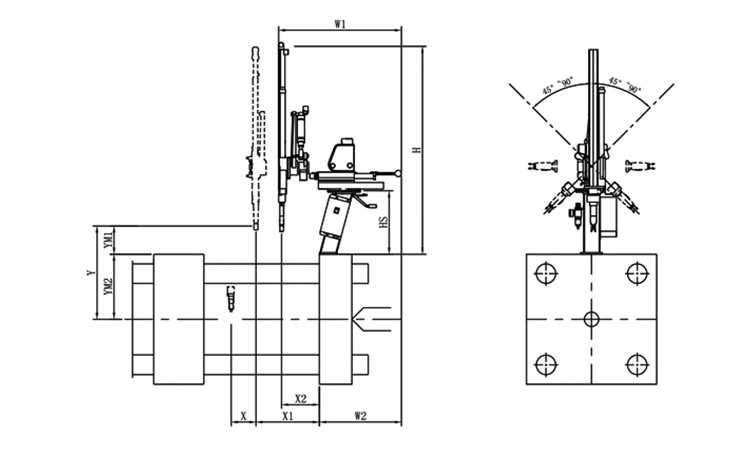
Unit: mm
| X1 | X2 | X3 | X4 | Y | YM1 | YM2 | Z | L | W | H | Payload | 300 | 100 | 0 | 0 | 550 | 155 | 395 | -45°~+45° | 650 | 650 | 1260 | 2kg |
|---|
EOAT Assembly Demonstration -- Two Cavities Non-woven Fabric In Mold Insertion
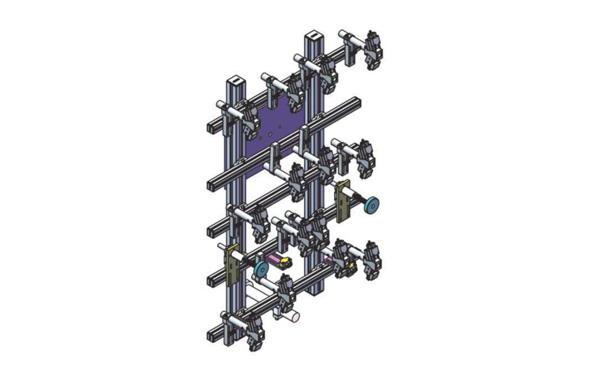
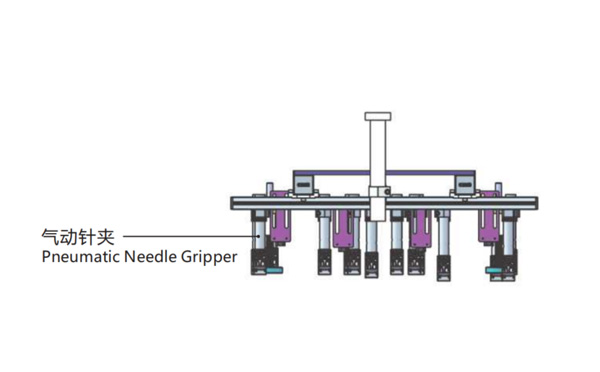
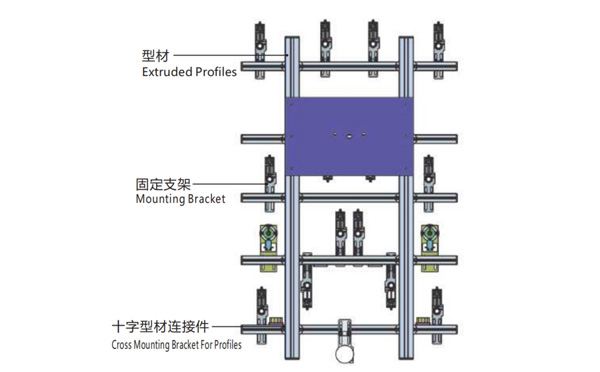
Product Descriptions
Bom List
| Product Name | PN # | Model | Quantity |
|---|---|---|---|
| Extruded Profiles | 4.Y00052 | PEP4040-1000 | 2 |
| Plugs for Profile | 4.Y00072 | PEP4040 | 4 |
| Extruded Profiles | 4.Y000481 | PEP2525-1500 | 2 |
| Extruded Profiles | 4.Y00481 | PEP2525-1000 | 1 |
| Plugs for Profile | 4.Y00070 | PEP2525 | 10 |
| Cross Mounting Bracket for Profiles | 7.Y00356-T | SMBA-2540T | 10 |
| Pneumatic Needle Gripper | 8.Y00025 | GN2010 | 14 |
| Mounting Bracket | 7.Y00308-T | SMBE2-2060T | 14 |
| Mounting Bracket | 7.Y00309-T | SMBE2-3060T | 1 |
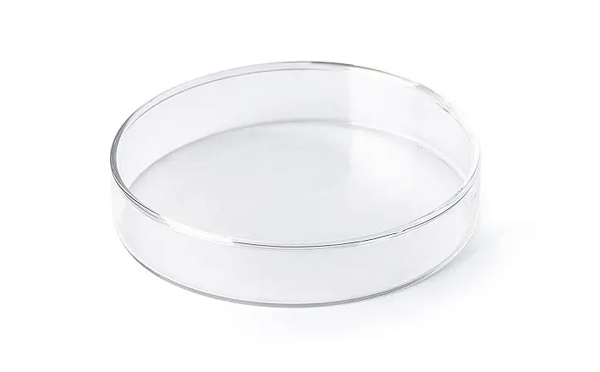
What Would be a Preferable Mould Layout Design for a Petri Dish Packing System?
SWITEK is now providing two kinds of solutions for Petri dish packing, one is a packing system with top entry picking robot and the other is a system with a side entry picking robot. The petri dish producer can decide which solutions is better according to the layout design of the workshop.
Traditionally the mould layout design for the Petri dish production will have the top and base integrated into the same mould which could be 2 + 2, 4 + 4 or 8 + 8 with the cover to the top of the mould. The cover on top design is preferable to an automation system of Petri dish packing.
For an automation system of Petri dish packing, the best is to have a turn-key solutions of Petri dish packing of which SWITEK will have the whole system well tested before delivery to ensure that the automation system which you received is a ready to work one to reduce the cost of sytem start up.