sales06@switek.biz

+86 186 5927 5869

Shopping

Subscrib to Us
sales06@switek.biz
+86 186 5927 5869
Shopping
Subscrib to Us

Keywords:Panasonic A6 Servo Installation Instruction, Panasonic A6 Driver, Panasonic A6 Series Servo Motor Manual
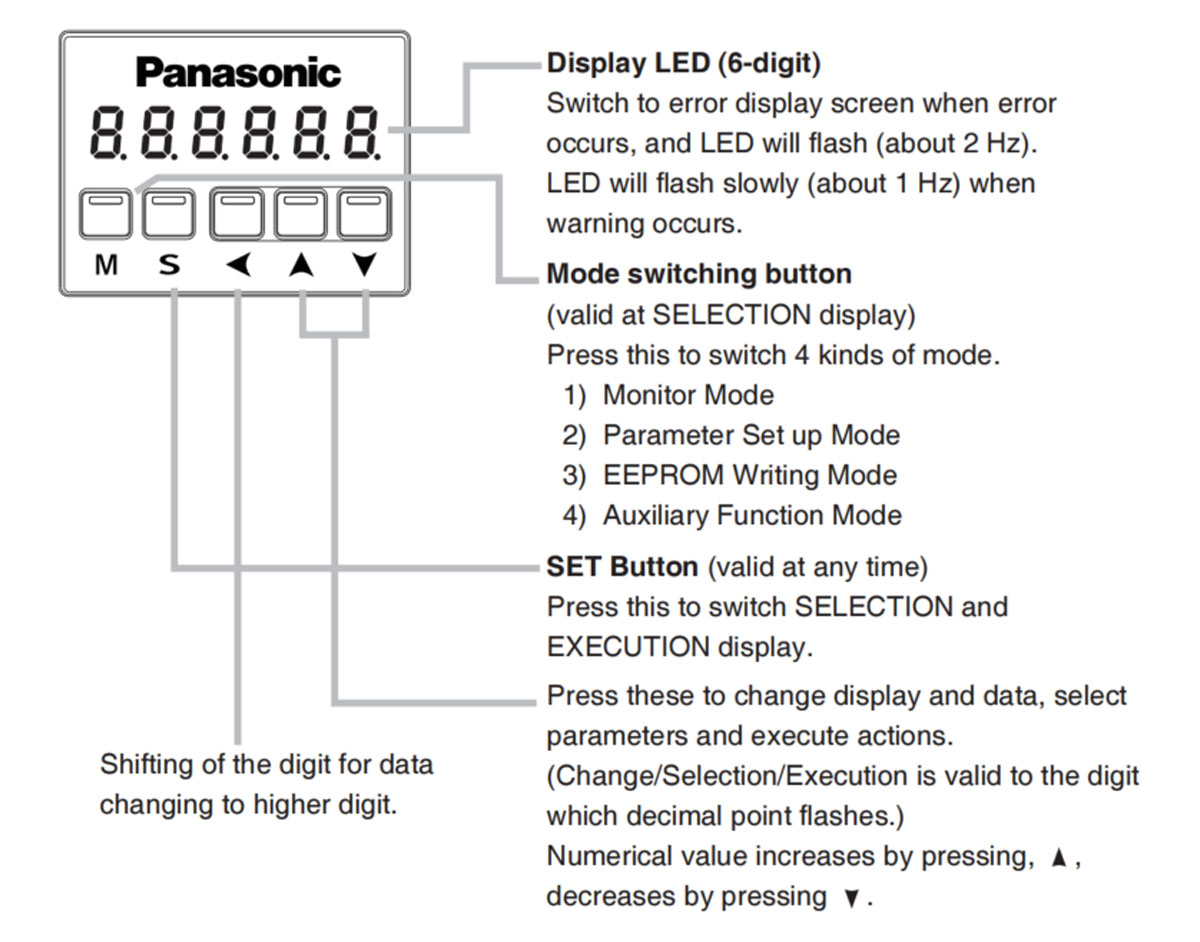
The led front panel of the Panasonic A6 servo motor driver will display the running status of the motor and the alarm code if there's an alarm occurred during the running of the system. It's also the interface of Panasonic A6 servo motor to the operator in parameter setting.
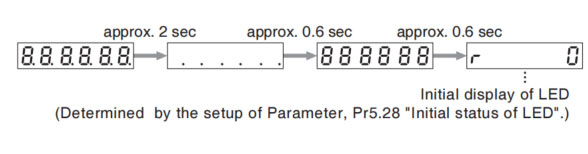
Front panel display shows the following after turning on the power of the driver.
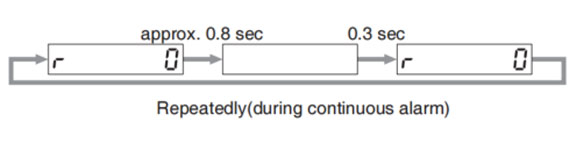
If a driver alarm is generated, the front panel display shows the following repeatedly.
Below shows possible cause of an alarm.
| Alarm No. | Alarm | Content |
|---|---|---|
| A0 | Overload | Load factor is 85% or more the protection level. |
| A1 | Over-regeneration alarm | Regenerative load factor is 85% or more the protection level. |
| A2 | Battery alarm | Battery voltage is 3.2V or lower. |
| A3 | Fan alarm | Fan has stopped for 1 sec. |
| A4 | Encoder communication alarm | The number of successive encoder communication errors exceeds the specified value. |
| A5 | Encoder overheat alarm | The encoder detects overheat alarm. |
| A6 | Oscillation detection alarm | Oscillation or vibration is detected |
| A7 | Lifetime detection alarm | The life expectancy of capacity or fan becomes shorter than the specified time |
| A8 | External scale error alarm | The external scale detects the alarm |
| A9 | External scale communication alarm | The number of successive external scale communication errors exceeds the specified value. |
| AC | Deterioration diagnosis warning | Load characteristic estimates and torque command under constant speed has exceeded set range. |
| C3 | Main power off warning | In case that Pr7.14 (Detection time of main power off warning) is 10 to 1999, the mains power between L1 and L3 has stopped instaneously for more than the time prescribed in Pr7.14. |
Related page → • P.4-6 to 4-85 "Details of Parameter"

SW257C
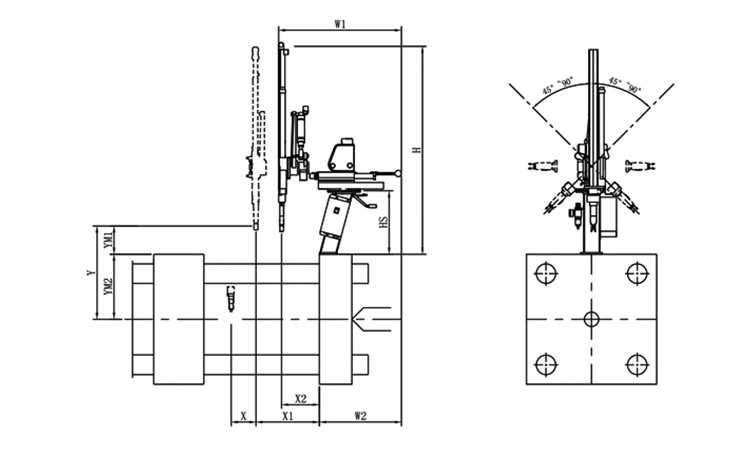
Unit: mm
| X1 | X2 | X3 | X4 | Y | YM1 | YM2 | Z | L | W | H | Payload | 300 | 100 | 0 | 0 | 695 | 215 | 480 | -45°~+45° | 650 | 650 | 1450 | 2kg |
|---|
EOAT Assembly Demonstration -- One Cavity Car Threshold Strip Picking EOAT
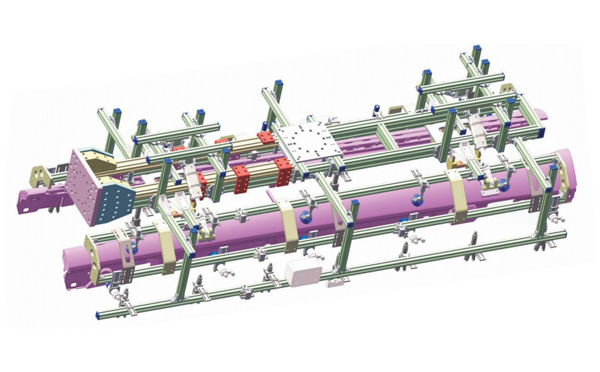
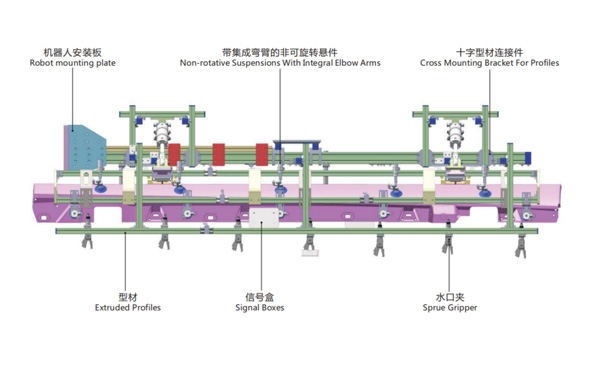
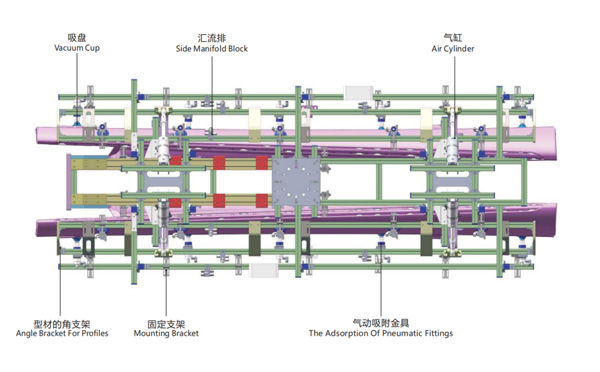
Product Descriptions
What Would be a Preferable Mould Layout Design for a Petri Dish Packing System?
SWITEK is now providing two kinds of solutions for Petri dish packing, one is a packing system with top entry picking robot and the other is a system with a side entry picking robot. The petri dish producer can decide which solutions is better according to the layout design of the workshop.
Traditionally the mould layout design for the Petri dish production will have the top and base integrated into the same mould which could be 2 + 2, 4 + 4 or 8 + 8 with the cover to the top of the mould. The cover on top design is preferable to an automation system of Petri dish packing.
For an automation system of Petri dish packing, the best is to have a turn-key solutions of Petri dish packing of which SWITEK will have the whole system well tested before delivery to ensure that the automation system which you received is a ready to work one to reduce the cost of sytem start up.