sales06@switek.biz

+86 186 5927 5869

Shopping

Subscrib to Us
sales06@switek.biz
+86 186 5927 5869
Shopping
Subscrib to Us

The I/O here is for the input/output signal of the robotic arm, which is for the operators to watch up the communication between the robotic arm and the injection molding machine. It's a reference for you to diagnose what's wrong with the robotic arm either because of the ill wiring or wrong programming. The I/O page together with the alarm history will help you to find a solution of any robotic arm faulty fast.
Click the Monitor menu item in the main menu bar will open the monitor page, as shown below:
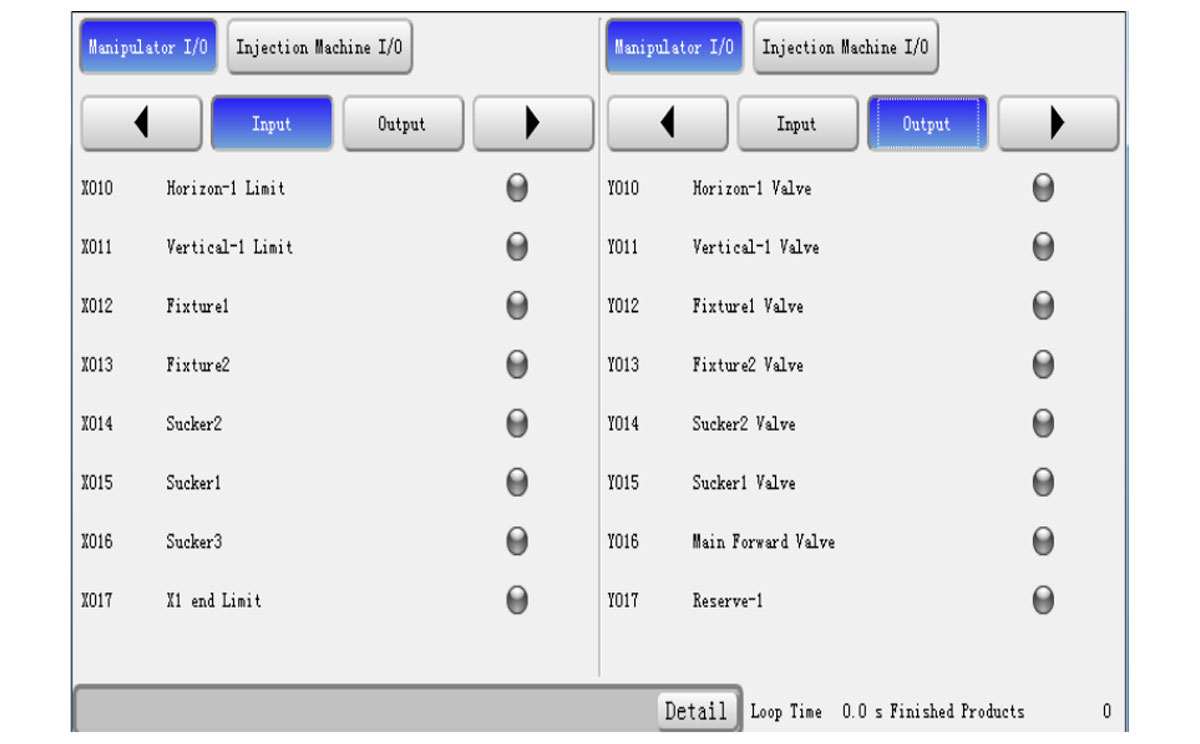
The window is seperated into two parts with the left side and the right side independent. You can view the input and output signal at the same time. Click the Injection Machine I/O button will open the injection molding machine I/O signal monitor.
Click the Alarm menu item in the main menu bar will open the alarm history page, as shown below:
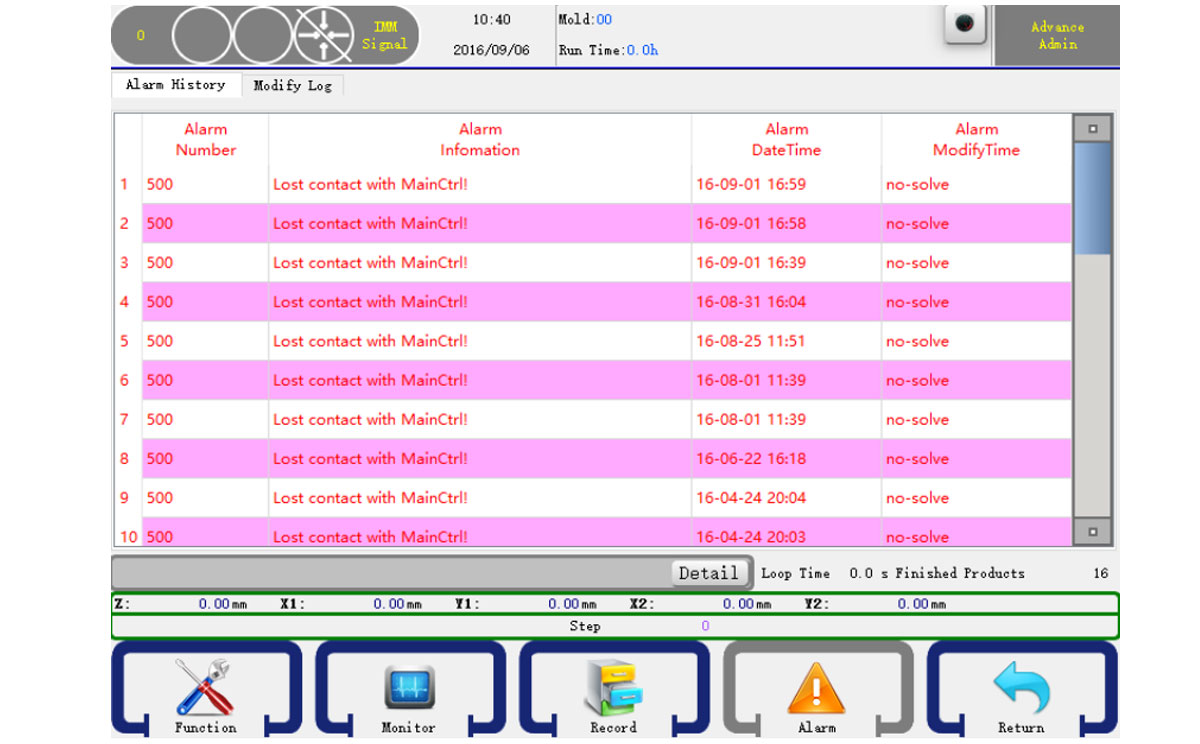
The latest 50 alarm records sill show up in this page.
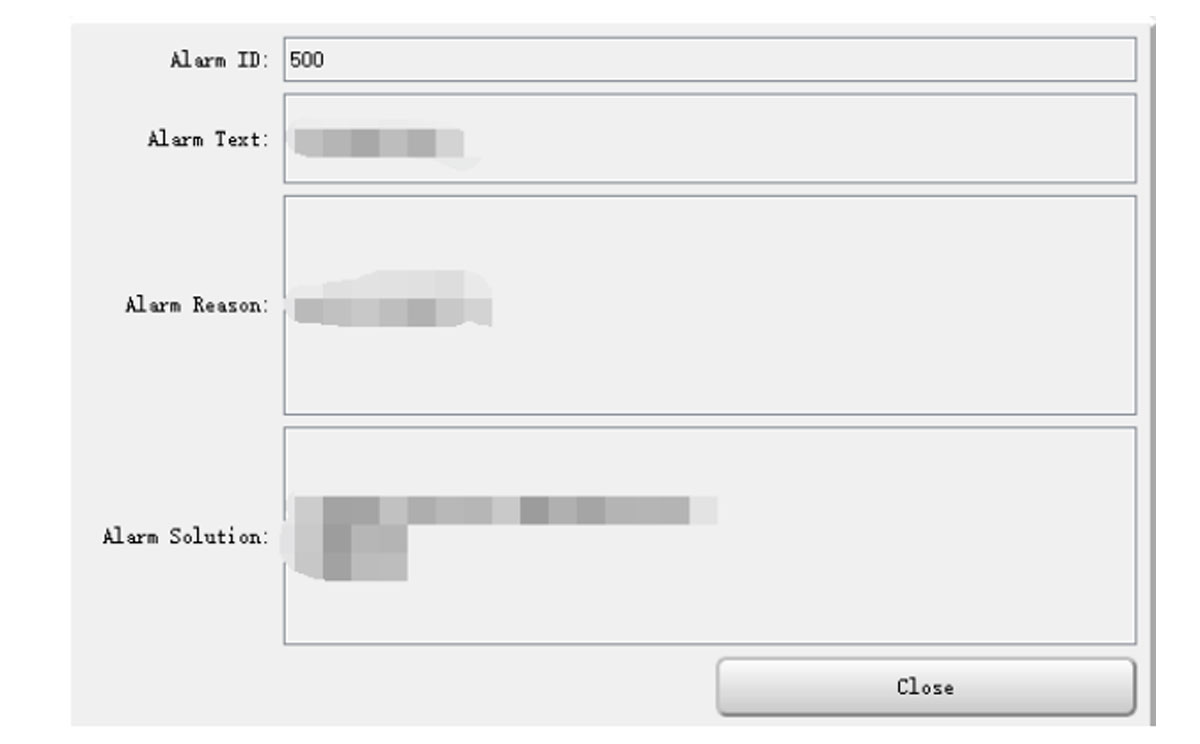
If the machine has an alarm, click the "detail" button.
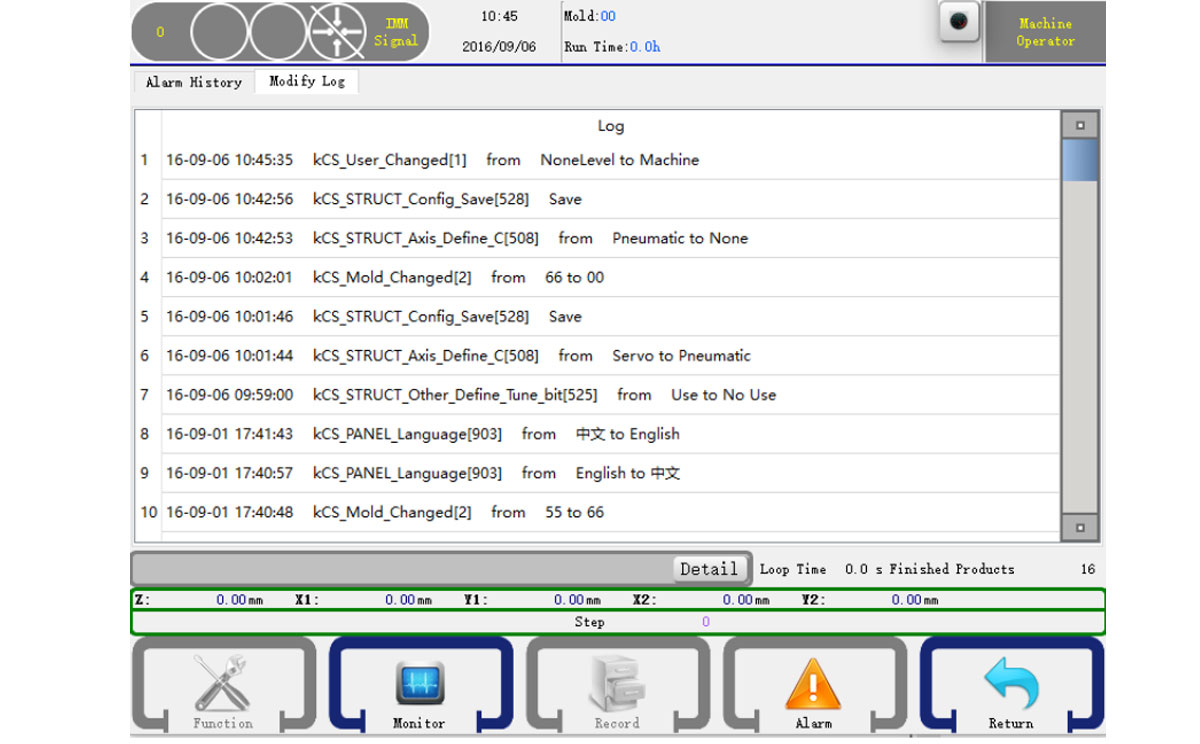
| Code | Alarm Information | Alarm Reason |
|---|---|---|
| 1190 | Main upper limit is not both on when Traverse out to in | Z axis traverse from inside security zone to outside security zone, main arm upper limit is off. |
| 1192 | Current position is less than the permit security position | Current position is less than the permit security position |
| 1193 | Current position is larger than the permit security position | Current position is larger than the permit security position |
| 1200 | Confirmation signal's error with Fixture 1 ON | Signal checking error after Fixture 1 ON |
| 1201 | Confirmation signal's error with Fixture 1 OFF | Signal checking error after Fixture 1 OFF |
| 1202 | Confirmation signal's error with Fixture 2 ON | Signal checking error after Fixture 2 ON |
| 1203 | Confirmation signal's error with Fixture 2 OFF | Signal checking error after Fixture 2 OFF |
| 1204 | Confirmation signal's error with Fixture 3 ON | Signal checking error after Fixture 3 ON |
| 1205 | Confnirmation signal's error with Fixture 3 OFF | Signal checking error after Fixture 3 OFF |
| 1206 | Confirmation signal's error with Fixture 4 ON | Signal checking error after Fixture 4 ON |
| 1207 | Confirmation signal's error with Fixture 4 OFF | Signal checking error after Fixture 4 OFF |
| 1208 | Confirmation signal'ss error with Sucker1 ON | Singal checking error after Sucker 1 ON |
| 1209 | Confirmation signal's error with Sucker 1 OFF | Signal checking error after Sucker 1 OFF |
| 1210 | Confirmation signal's error with Sucker 2 ON | Signal checking error after Sucker 2 ON |
| 1211 | Confirmation signal's error with Sucker 2 OFF | Signal checking eror after Sucker 2 OFF |
| 1306 | Please check the standby point Fixture 1 | Fixture 1 must be OFF when standby, Please check. |
| 1307 | Please check the standby point Fixture 2 | Fixture 2 must be OFF when standby, Please check |
| 1308 | Please check the standby point Fixture 3 | Fixture 3 must be OFF when standby, Please check |
| 1309 | Please check the standby point Fixture 4 | Fixture 4 must be OFF when standby, Please check |
| 1310 | Please check the standby point Sucker 1 | Sucker 1 must be OFF when standby, Please check |
| 1311 | Please check the Standby point Sucker 2 | Sucker 2 must be OFF when standby, Please check |
| 1400 | Y-axis is not detected limit when rise | Main arm isn't in the up position in Auto, you should make it origin manually. |
| 1403 | Y2-axis is not detected limit when rise | Sub arm isn't in the up position in Auto, you should make it origin manually |
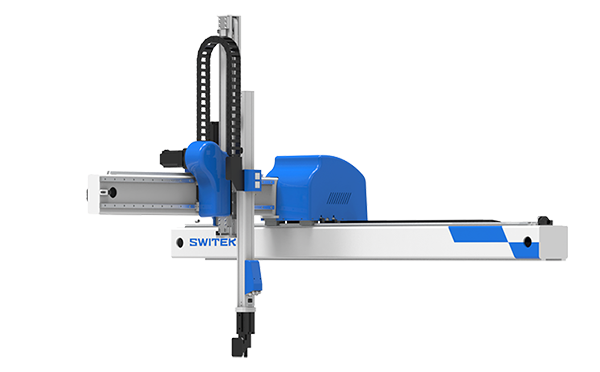
SW6712DS-20
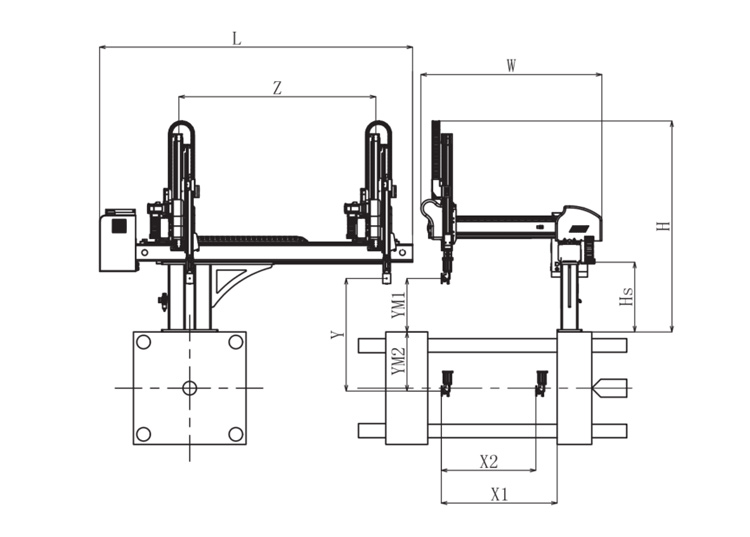
Unit: mm
| X1 | X2 | X3 | X4 | Y | YM1 | YM2 | Z | L | W | H | Payload | 1025 | 840 | 0 | 0 | 1200 | 475 | 725 | 2000 | 3020 | 1610 | 2050 | 8kg |
|---|
EOAT Assembly Demonstration -- One Cavity In Mold Insertion EOAT With Mold Positioner
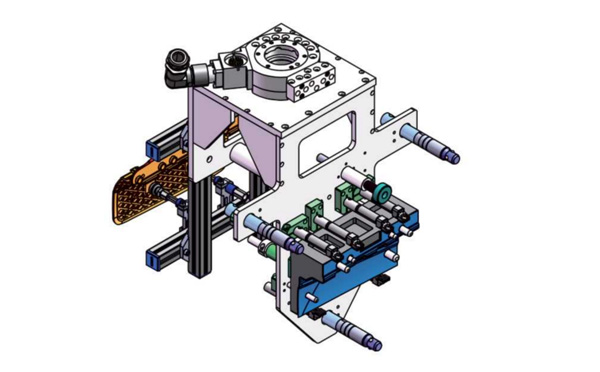
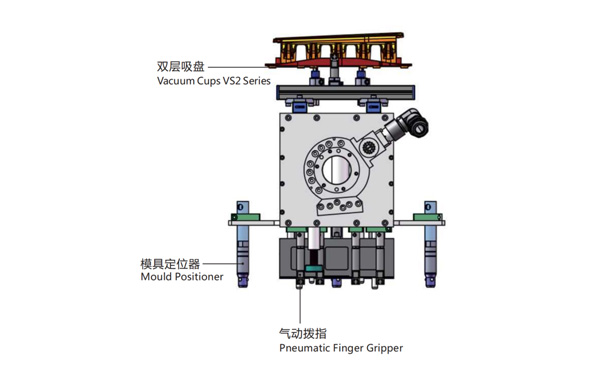
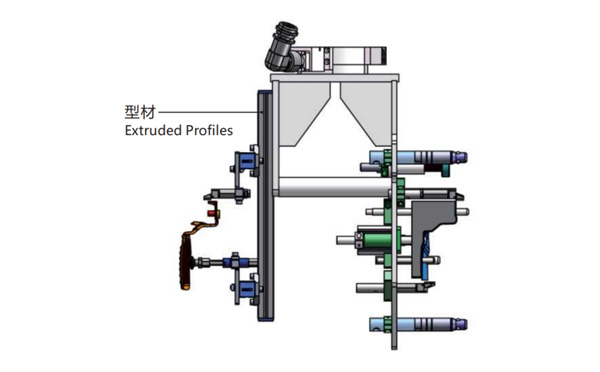
Product Descriptions
Bom List
| Product Name | PN # | Model | Quantity |
|---|---|---|---|
| Extruded Profiles | 4.Y00481 | PEP2525-1500 | 1 |
| Plugs for Profile | 4.Y00070 | PEP2525 | 8 |
| Mould Positioner | 8.Y00088 | GMP20A | 3 |
| Vacuum Cups VS2 Series | 1.Y05310 | VS2-SA20 | 2 |
| Rotative Suspensions | 8.Y00061 | VFR1421-G18 | 2 |
| Pneumatic Finger Gripper | 8.Y00084 | GFR14-95G | 7 |
| Extension Tube | 7.Y00733 | SMBY14-50 | 6 |
| Mounting Bracket | 7.Y00200-T | SMBE1-1440T | 3 |
| Cross Mounting Bracket for Profiles | 7.Y00194-T | SMBA-2525T | 4 |
| Vacuum Cup Fittings | 7.Y00703 | VM02-G18 | 2 |
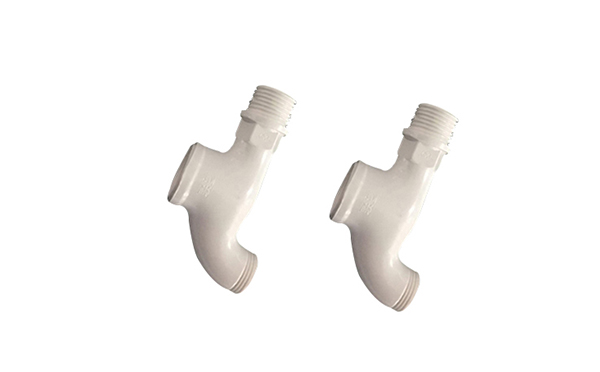
What Would be an Economic Solutions for Plastic Faucet Production?
What Would be an Economic Solutions for Plastic Faucet Production?
Safe, reliable and easy for production make the PPR faucets getting more and more popular against its counter parts of which made from brass or other metal faucet product. To start a new pleastic faucets production project, what would be an economic configuration?
To produce the plastic faucets economically, you can consider an automation solutions to reduce the man hours, and a two cavities solutions would keep the system economic in investment and easy for maintenance, the machineries for such a system will include:
Fore more information about the faucet and other pipe fittings injection automation solution please feel free to contact Adams from SWITEK to get a turn-key solutions of pipe fittings production.