sales06@switek.biz

+86 186 5927 5869

Shopping

Subscrib to Us
sales06@switek.biz
+86 186 5927 5869
Shopping
Subscrib to Us

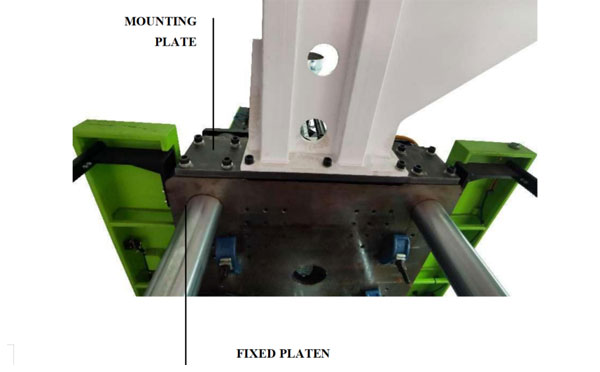
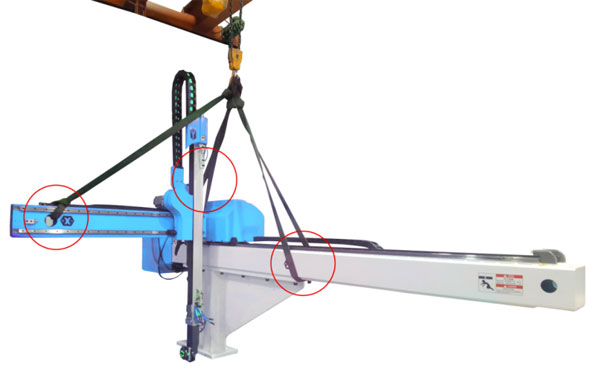
The robotic arms for the injection molding machines would be installed to the top of the injection molding machine, the installer of the robotic arm must keep the SAFETY INSTRUCTION in his mind throughout the installation process. Here in this chapter you'll have a detailed guide line of how to fix the robotic arm to the injection molding machine safely step by step.
First check the robot base plate or transfer plate if it's match to the injection molding machine mounting plate?
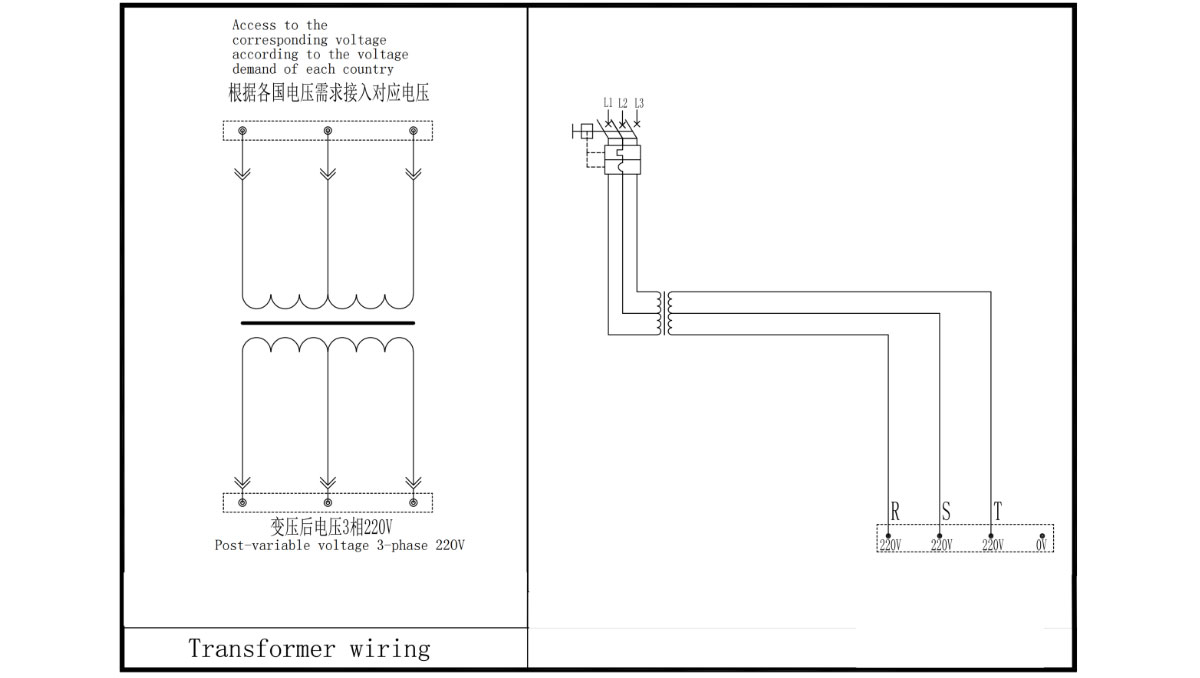
Connecting the Power Supply -- Power Wiring via a transformer
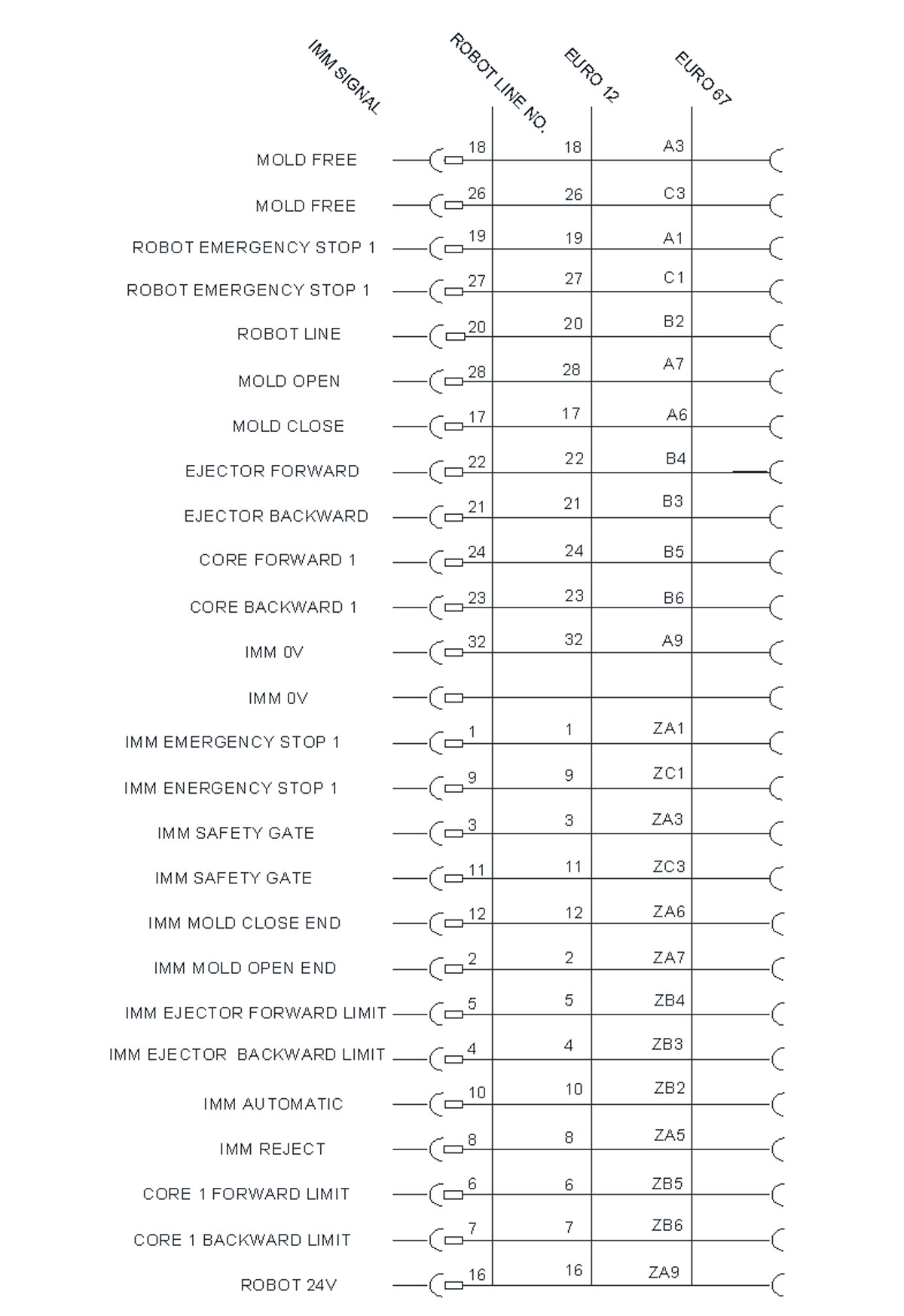
Communication with the Injection Molding Machine -- EU12/EU67/JIS
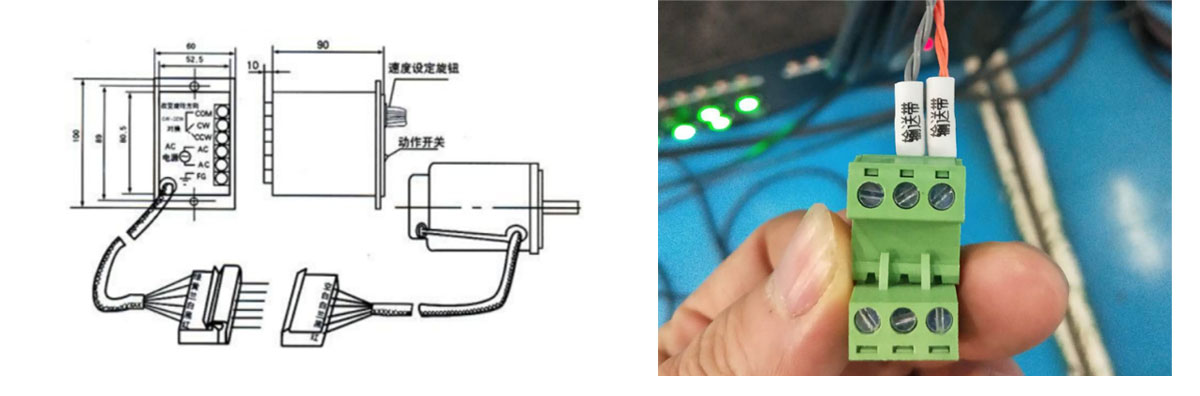
COM points and CW/CCW points inside the conveyor belt control box are connected to his joint on the robot.
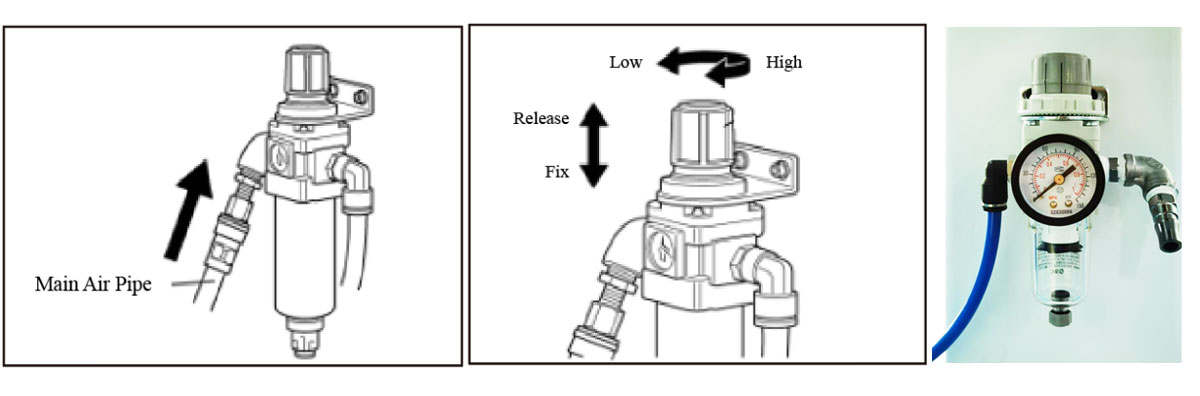
Please connect the prepared main air pipe to the "IN" of the pressure reducing valve of the air filter
NOTE: the pressure of the two pressure gauges must not be less than 0.5mpa, and the air source must be kept dry
All pipe and air pipe should be regulated and fixed by rolling tape and kept away from high temperature and hot areas.
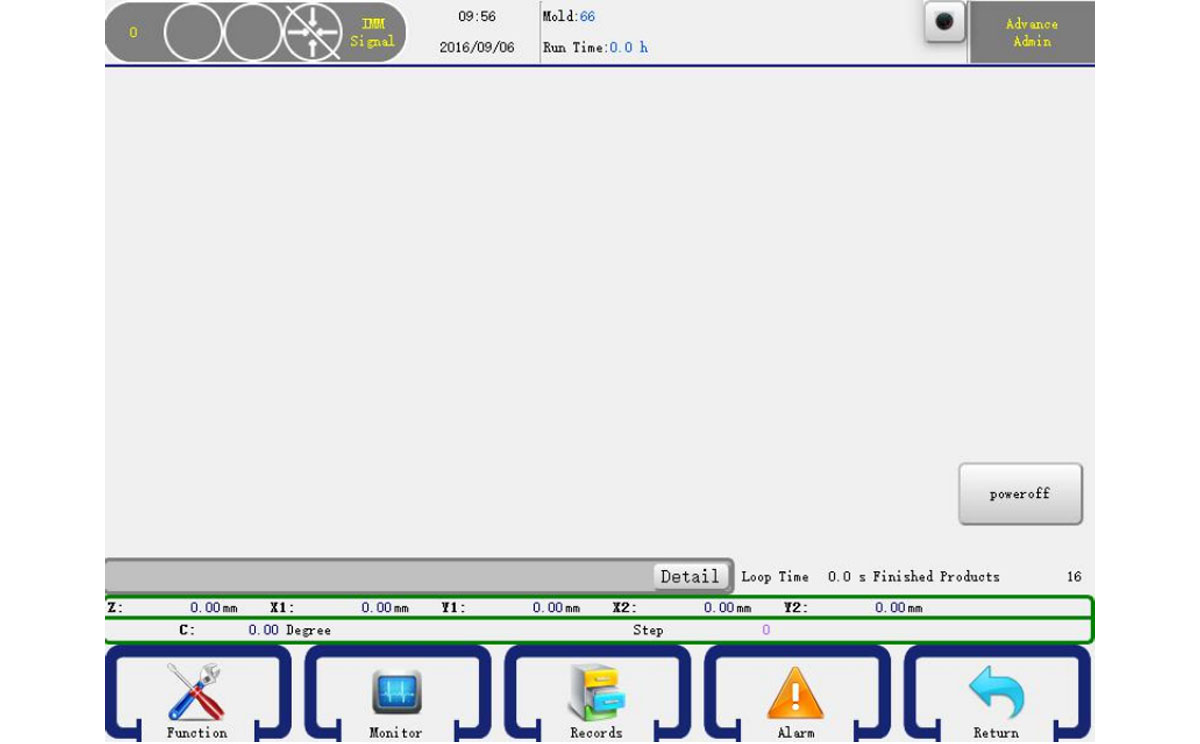
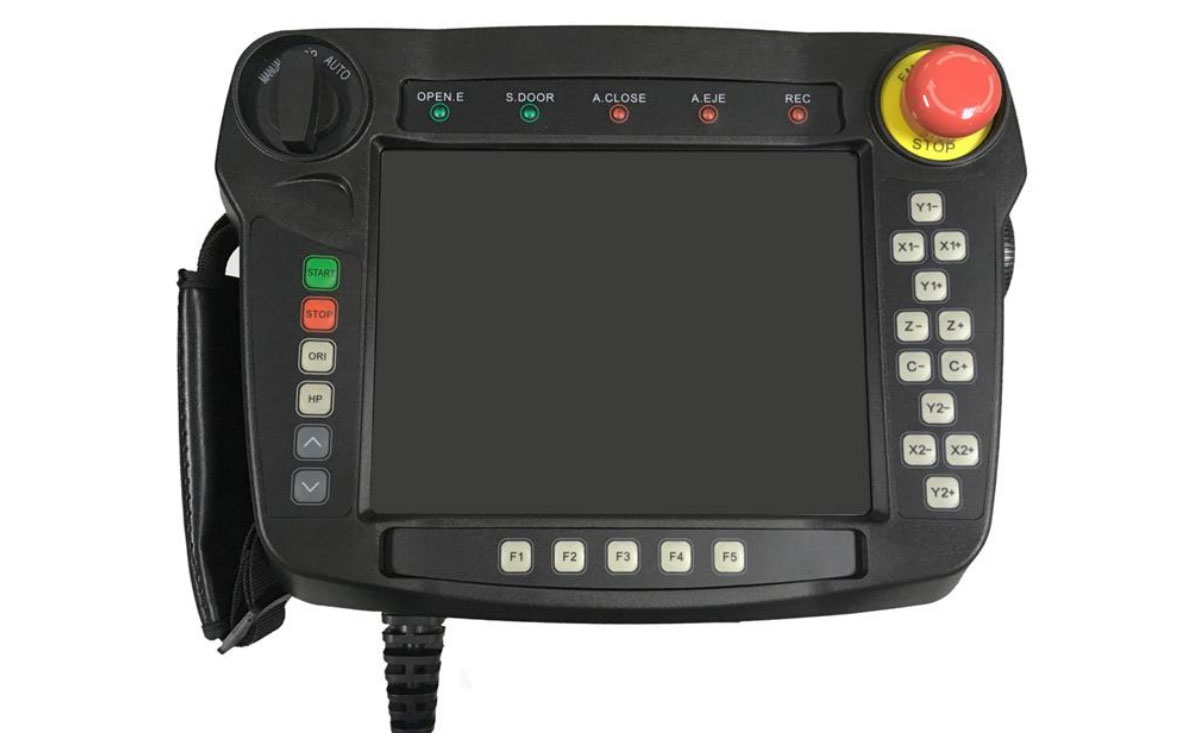
AREA 2: For the injection molding machine and the manipulator to connect and exchange signal visual area.
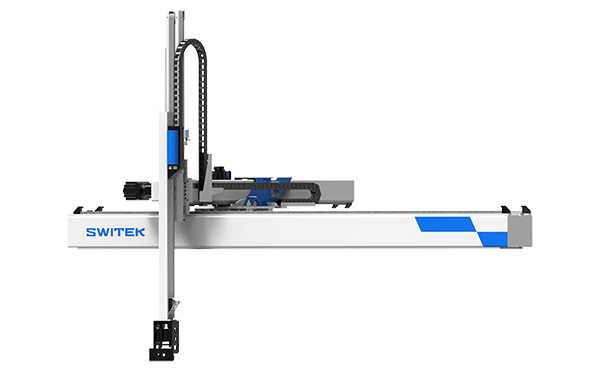
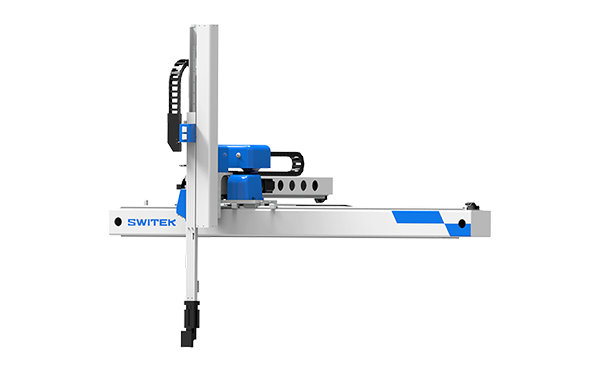
SW7730DS
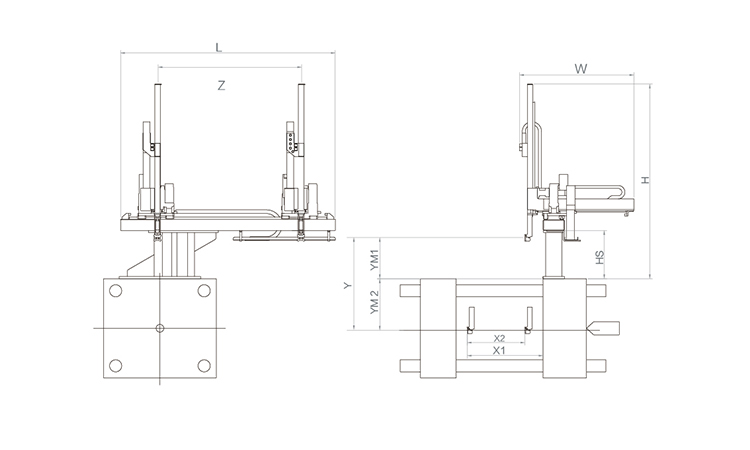
Unit: mm
| X1 | X2 | X3 | X4 | Y | YM1 | YM2 | Z | L | W | H | Payload | 2250 | 1720 | 0 | 0 | 3000 | 780 | 2220 | 4000 | 5050 | 3005 | 3440 | 75kg |
|---|
EOAT Assembly Demonstration -- One Cavity Instrument Panel Picking EOAT
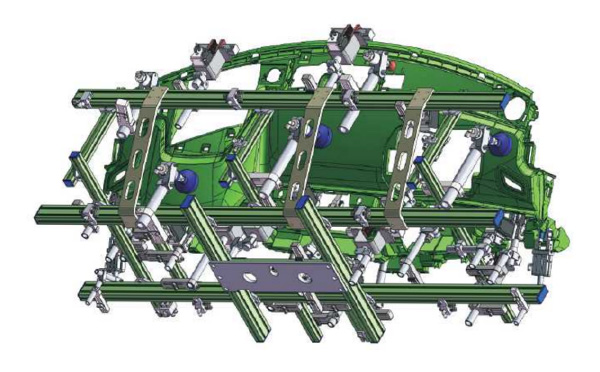
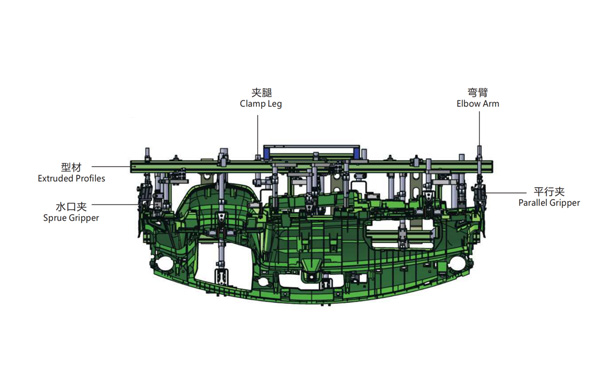
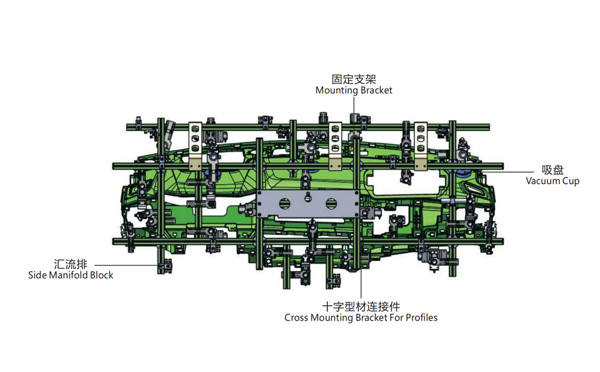
Product Descriptions
Why is SWITEK SW7112DS the Best Picking Robot for HMD368M8-SPV?
HMD368M8-SPV is the 5th generation of high speed injection molding machine by Ningbo Hwamda Machinery Co., Ltd. Which is one of the best buy injection molding machines among the producer of thin-wall containers with excellent injection speed, injection precision and competitive price. The clampling force of the HMD SPV series injection molding machine ranging from 2700Kn to 530Kn of which is the most popular injection molding machine for thin-wall containers, say 500ml cups from 4 cavities ~ 16 cavities. So, for a new thin-wall containers producer, how to choose a robot for HMD SPV series of high speed injection molding machine?
As a high speed injection molding machine, the buyers of HMD368M8-SPV mostly would be the producer of thin-wall containers of which the injection cycle time would be around 4~7s and the weight of the parts would not be much. In this case it'll request that the robot must be a high speed one. That's why we recommend SW7112DS, the high speed 3 axis injection robot by SWITEK Automation.
As a high speed 3 axis servo injection robot custom made for the thin-wall containers, the dry cycle time of SW7112DS was reduced to 3.3s only with an in minimum in mold time of 0.7s for box picking. With minor adjustment of the strokes, it's suitable for injection molding machine with clamping force from 150T ~ 550T, perfectly match the picking and stacking application of the HMD SPV series high speed injection molding machine.
For more information about SWITEK high speed robot SW7112DS please, contact Adams from SWITEK for a professional advisory about how to select a robot for your injection molding project.