sales06@switek.biz

+86 186 5927 5869

Shopping

Subscrib to Us
sales06@switek.biz
+86 186 5927 5869
Shopping
Subscrib to Us

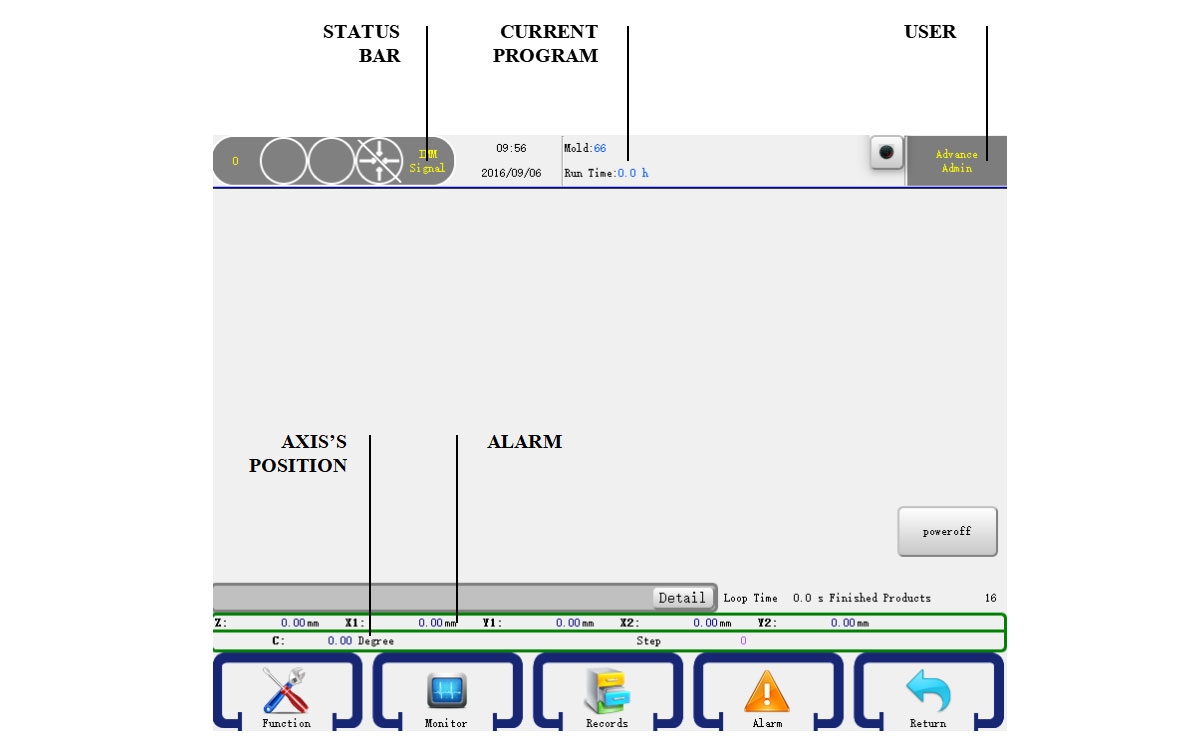
The operate panel is the interface from where the operator to communicate with the robotic arm. It'll enable the operator to start, stop, programm, adjust the speed of each axis of the robotic arm. Here in this chapeter we'll have a brief introduction of the operate panel of the robotic arm controller (HMI).
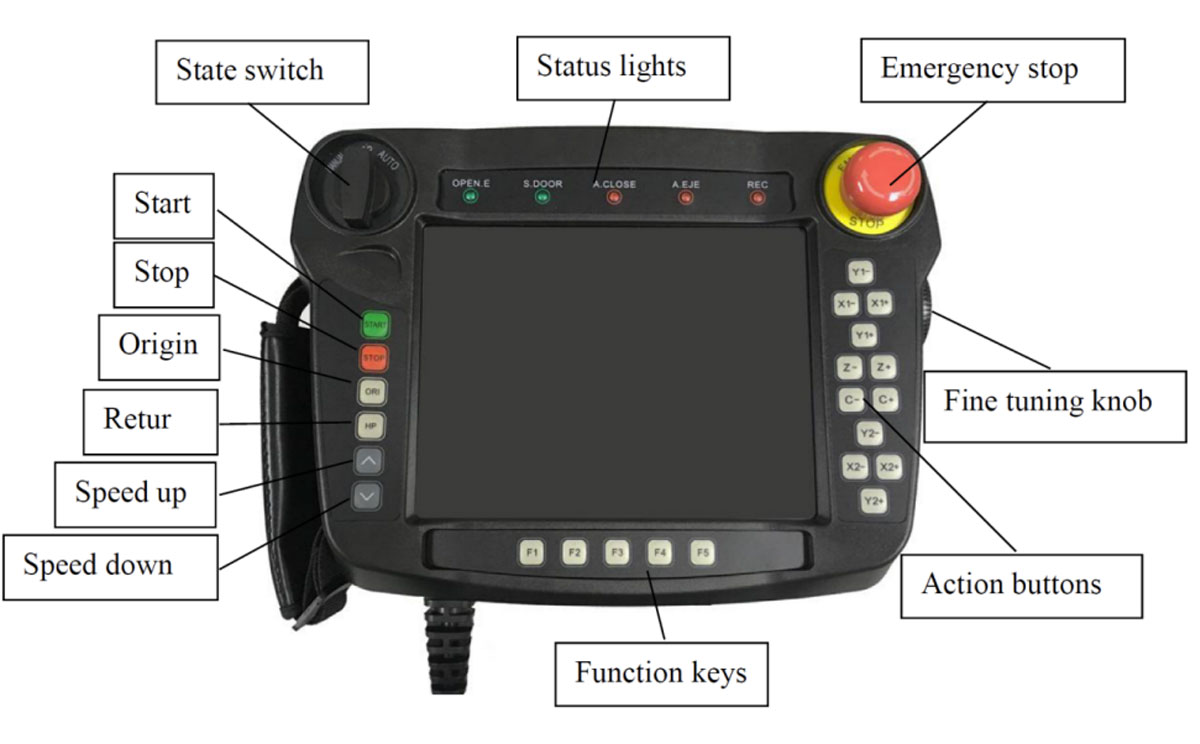
Stop the robot and other machines immediately in emergency.
Have a minor movement of the strokes for precise distance adjustment.
Move the axis manually

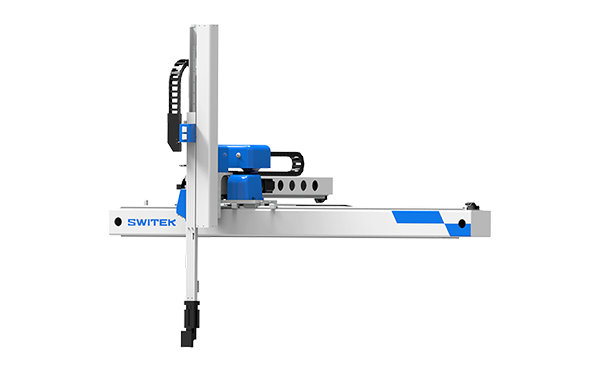
SW6308D-20
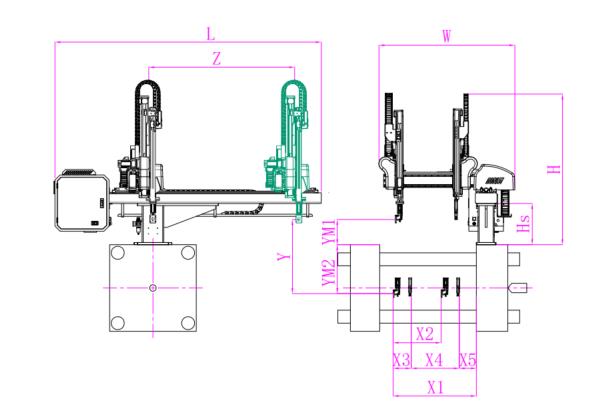
Unit: mm
| X1 | X2 | X3 | X4 | Y | YM1 | YM2 | Z | L | W | H | Payload | 740 | 640 | 140 | 415 | 800 | 235 | 565 | 1350 | 2320 | 1500 | 1460 | 3kg |
|---|
EOAT Assembly Demonstration -- Two Cavities Parts Picking EOAT with Runner Gripping
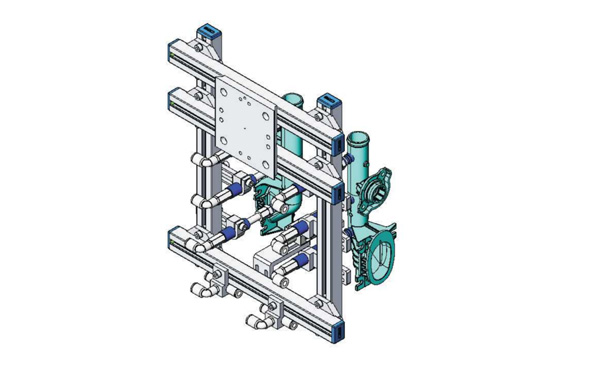
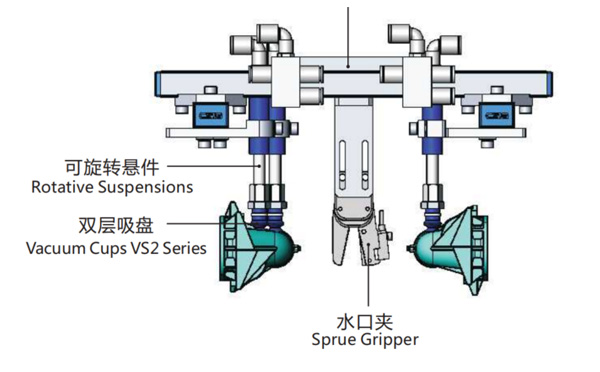
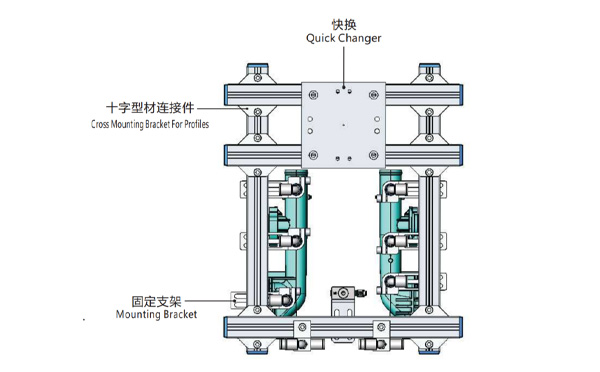
Product Descriptions
Bom List
| Product Name | PN # | Model | Quantity |
|---|---|---|---|
| Quick Changer | 7.Y00175 | QCS-G100 | 1 |
| Sprue Gripper | 8.Y00050 | GR12-12CP | 1 |
| Plugs for Profile | 4.Y00069 | PEP2518 | 10 |
| Cross Mounting Bracket for Profiles | 7.Y00194 | SMBA-2525T | 6 |
| Extruded Profile | 4.Y00455 | PEP2518-1000 | 2 |
| Vacuum Cups VS2 Series | 1.Y03085 | VS2-SA11 | 6 |
| Vacuum Cup Fitting | 7.Y00703 | VM-02-G18 | 6 |
| Rotative Suspensions | 8.Y00061 | VFR1421-G18 | 6 |
| Mounting Bracket | 7.Y00200 | SMBE1-1440T | 6 |
| Connector | 1.Y02510 | APF-M5 | 2 |
| Side Manifold Block | 7.Y00157 | SMB-06M5 | 2 |
| L-Type Threaded HOse Fitting | 1.Y02722 | APL6-01 | 8 |
| Straight Threaded Hose Fitting | 1.Y02725 | APC6-01 | 6 |
What's the Advantages of SWITEK Side Entry Forks Folding Robot SW818?
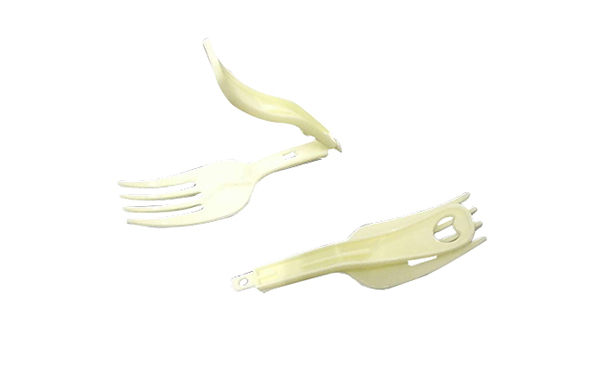
Foldable Forks is a disposable cutlery which was firstly introduced to the Chinese people with the instant noodle in year 1992. At that time the production of the foldable forks are still a high technology with the mold making technology controlled by the mold makers from outside China. The "Instant noodle" was still something luxiliary in China at that time.
The first SWITEK side entry 64 cavities forks pick and folding robot was delivered in 2012 to the forks supplier of UNI-PRESIDENT in Indonesia with 4 robots delivered with the Husky injection molding machine. The advantages of SWITEKE side entry 64 cavities forks folding solutions include:
Other than the picking and folding of the forks, the new SWITEK 64 cavities forks folding system is ready to be integrated with a packing system to have each of the fork film sealed independently for a better guarantee of the food safety.
For more solutions of cutlery auto-packing please contact Adams from SWITEK to get a turn-key solutions of foldable forks production.