sales06@switek.biz

+86 186 5927 5869

Shopping

Subscrib to Us
sales06@switek.biz
+86 186 5927 5869
Shopping
Subscrib to Us

Keywords:IML Robot; IML Robot Operating; In Mold Labeling Robotics
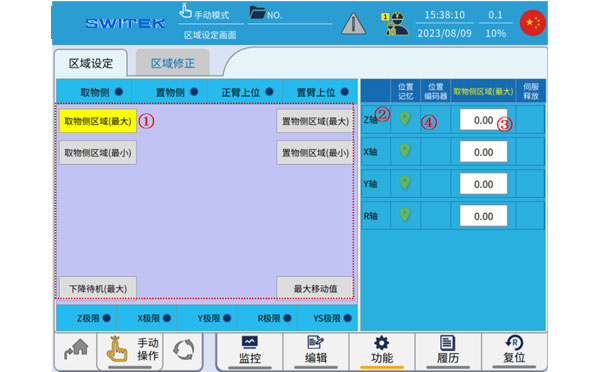
After clicking the Zone button we're entering the axis setting page where the operator will set the working zone of the IML robot axis. Here you can find two pages, in page area setting you can set the parameters of the working zone of the IML robot axis and the area correction page for the operator to modify the parameters of the IML robot axis.
Area Setting
| No. | Name | Function |
|---|---|---|
| (1) | Point selection | Select the area extremum you want to set. |
| (2) | Current position memory | Click to memorize the current position of the axis to the (3) setting value. |
| (3) | Set value | Click to modify the setting. |
| (4) | Position | The current position of the axis is displayed. |
Aera Correction
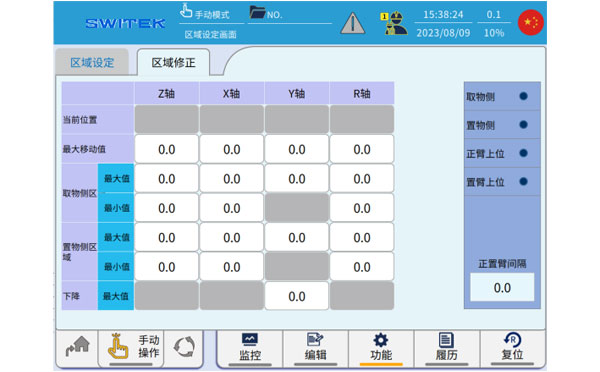
The parameters set in "Area Settings" can be viewed and modified in "Area Correction".
The set area parameters should be consistent with the sensor signal, etc.,, and the manipulator will be alarmed if it descends outside the set area, or if there is a tendency to move out of the set area in the downward state of the arm.
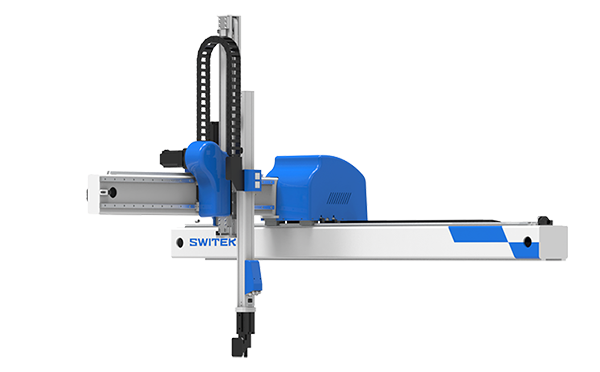
SW6712DS-20
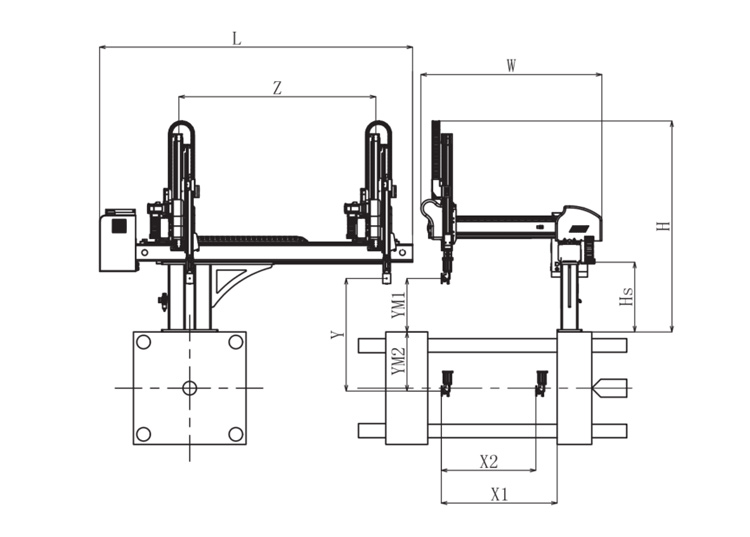
Unit: mm
| X1 | X2 | X3 | X4 | Y | YM1 | YM2 | Z | L | W | H | Payload | 1025 | 840 | 0 | 0 | 1200 | 475 | 725 | 2000 | 3020 | 1610 | 2050 | 8kg |
|---|
EOAT Assembly Demonstration -- Two Cavities Parts Picking EOAT with Runner Gripping
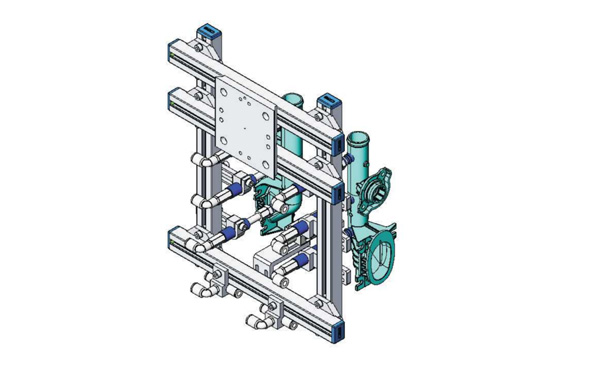
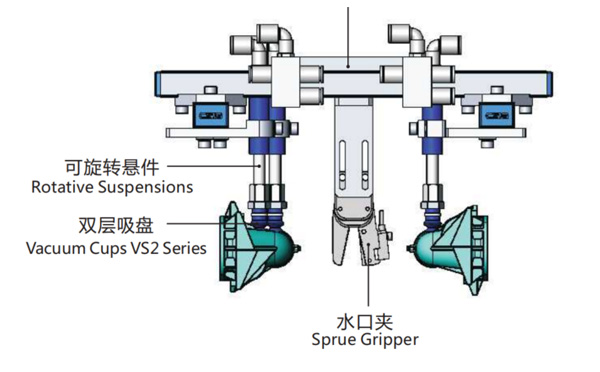
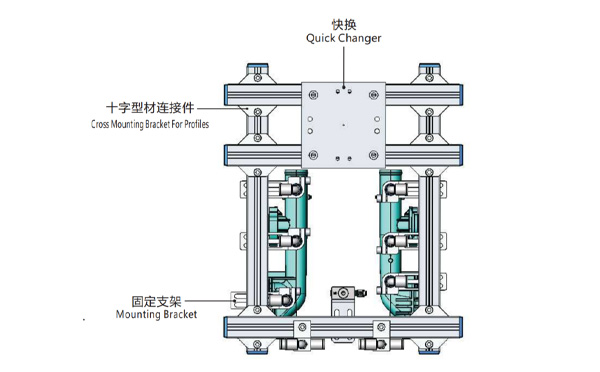
Product Descriptions
Bom List
| Product Name | PN # | Model | Quantity |
|---|---|---|---|
| Quick Changer | 7.Y00175 | QCS-G100 | 1 |
| Sprue Gripper | 8.Y00050 | GR12-12CP | 1 |
| Plugs for Profile | 4.Y00069 | PEP2518 | 10 |
| Cross Mounting Bracket for Profiles | 7.Y00194 | SMBA-2525T | 6 |
| Extruded Profile | 4.Y00455 | PEP2518-1000 | 2 |
| Vacuum Cups VS2 Series | 1.Y03085 | VS2-SA11 | 6 |
| Vacuum Cup Fitting | 7.Y00703 | VM-02-G18 | 6 |
| Rotative Suspensions | 8.Y00061 | VFR1421-G18 | 6 |
| Mounting Bracket | 7.Y00200 | SMBE1-1440T | 6 |
| Connector | 1.Y02510 | APF-M5 | 2 |
| Side Manifold Block | 7.Y00157 | SMB-06M5 | 2 |
| L-Type Threaded HOse Fitting | 1.Y02722 | APL6-01 | 8 |
| Straight Threaded Hose Fitting | 1.Y02725 | APC6-01 | 6 |
Which Robot is the Best one for Haitian JU1080~JU4000 Two Platen Injection Molding Machine?
Although the clamping force of the 5th generation of Haitian JUPITER series of two platen injection molding machine reached a historical height of 88000kN, the most widely used injection molding machines are still within the range of 10,800kN ~ 40,000 kN in the automotive parts production business. As we can find from the introduction of the Haitian 5th generation JUPITER series injection molding machine, the robot for the injection molding machine will count the new abilities of it:
For the 5th generation of JUPITER series two platen injection molding machine, the robot to recommend is SWITEK SW77 series of 3 axis servo injection robot. With a kick-back design and a payload up to 75kg, the SW77 series of injection robot will provide 30% more of EOAT working space. Further more, with optional extra servo Axis A, B & C, the SW77 series of injection robot will provide more flexibility for the EOAT design of a complex mold, which made it the best robot for injection automation project with a JUPITER injection molding machine.
For free consultation of injection robot selection and injection automation integration, please feel free to contact Adams from SWITEK to get team support of your new injection project.