sales06@switek.biz

+86 186 5927 5869

Shopping

Subscrib to Us
sales06@switek.biz
+86 186 5927 5869
Shopping
Subscrib to Us

Keywords:IML Robot; IML Robot Operating; In Mold Labeling Robotics
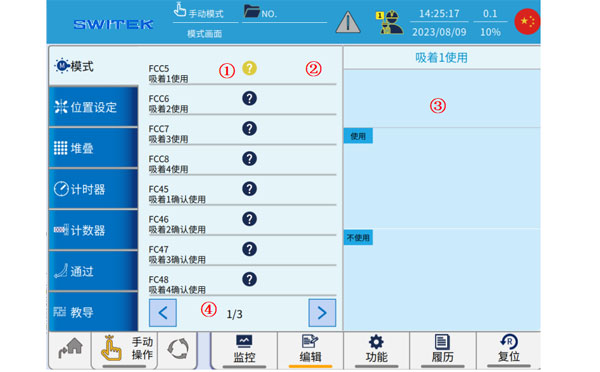
With the IML control system designed "Easy to operate", the programming of the SWITEK IML robot is simplified to a selection of a series of sub programs with parameters setting. Here in this chapter we'll introduce how to enable or disable the function unit of the IML robot in program.
3.6.1 Mode
| No | Name | Function |
|---|---|---|
| (1) | "?“ | Click to switch to the graphic description (3) of the corresponding mode. |
| (2) | Use/non-use | Click to set whether the current mode is in use. |
| (3) | Mode description | Graphic descriptions of patterns, use or non-use |
| (4) | Page toggle | Click to switch the page of the mode |
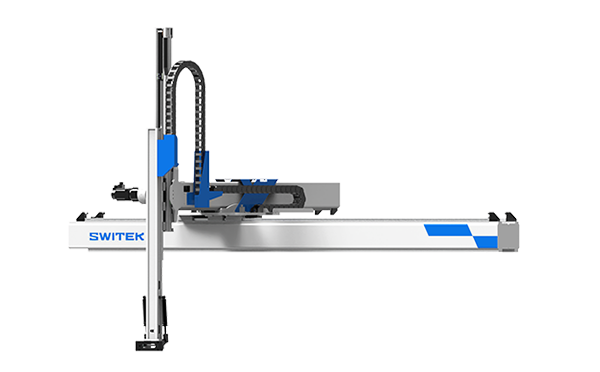
SW7522DS
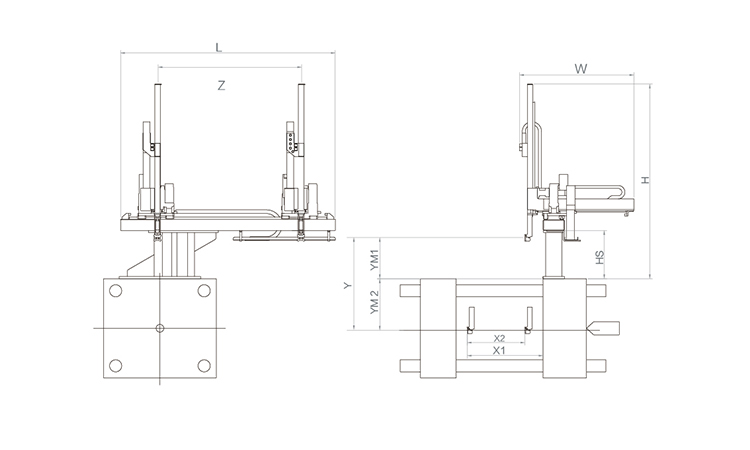
Unit: mm
| X1 | X2 | X3 | X4 | Y | YM1 | YM2 | Z | L | W | H | Payload | 1785 | 1680 | 0 | 0 | 2200 | 650 | 1550 | 3120 | 4160 | 2850 | 2830 | 15kg |
|---|
EOAT Assembly Demonstration -- Two Cavities Parts Picking EOAT with Runner Cutting by Air Nipper
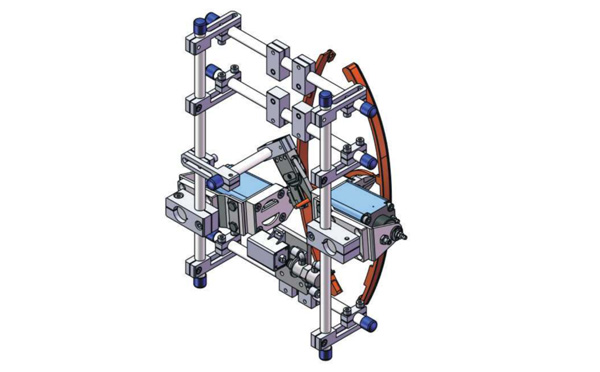
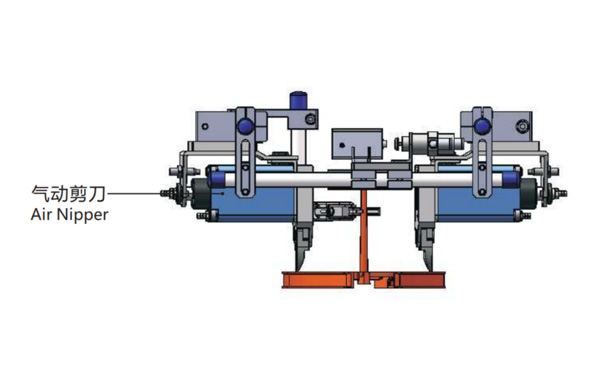
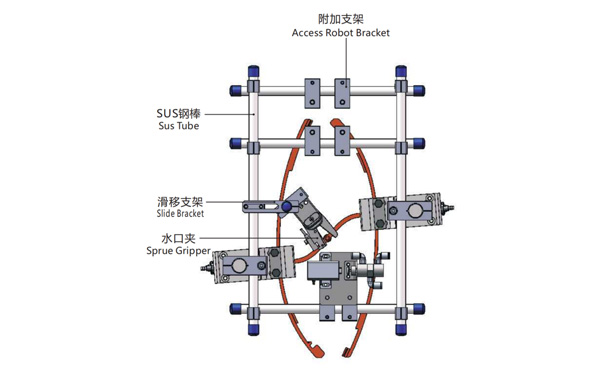
Product Descriptions
Bom List
| Product Name | PN # | Model | Quantity |
|---|---|---|---|
| Sus Tube | 4.Y00021 | PST12-1500 | 2 |
| Air Nipper | 1.Y00004 | GT-NY25 | 2 |
| Straight Blades for Plastic | 1.Y00037 | NY25AJ | 2 |
| Fixing Block | 7.Y00633 | SCE2-25 | 2 |
| Tube Plugs | 1.Y03638 | PST12-1500 | 11 |
| Cross Connector | 7.Y00027 | SMBT-2012 | 2 |
| Access Robot Bracket | 7.Y00002 | SMBH1-12M6 | 6 |
| L-Type Thread Hose Fitting | 1.Y02809 | APL6-M5 | 3 |
| Slide Bracket | 7.Y00004 | SCF4-1240W16 | 7 |
| Slide Bracket | 7.Y00001 | SMBS-12T16 | 7 |
| Sprue Gripper | 8.Y00091 | GR12-12-CN | 1 |
| Cross Connector | 7.Y00020 | SMBT-1212 | 1 |
What's Cutlery and What's SWITEK Cutlery Packing Solutions?
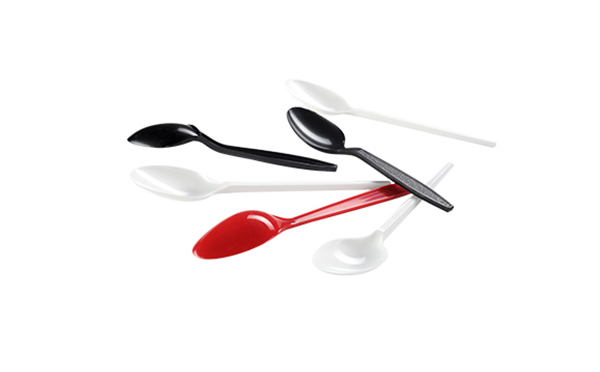
What's Cutlery? The definition of Cutlery in Wikipedia is something includes any hand implement used in preparing, serving, and especially eating food in Western culture which also refered to as silverware, flatware or table ware. The Cutlery here are mainly refered to the disposable knife, spoons and forks made of plastic (PP or PS).
SWITEK cutlery auto-packing solutions are a series of injection automation automation system for the fast production of cutleries (Spoons, Forks, Knifes) with film packing (Singel pcs, multi-pcs bag packing, multi-pcs box packing etc. ) which is not only suitable for the production of both standard disposable cutliers but also for some special designed products like folded spoons and forks.
As an automation system, an efficient stable working cutlery auto-packing system will need the perfect matching of the injection molding machine, the mold, the automation system and the cooling system. It'll need a lot of discussion among the suppliers of the injection molding machine, the mold, the automation system and the cooling solutions providers from the system planning, a professional team of system integration would be a guarantee of the successful start up of the system.
Since the first cutlery packing system onshow Chinaplas 2011, SWITEK R&D team had been providing a turn-key solution of cutlery packing to clients around the world. With a turn-key cutlery packing solution, you'll receive a system of cutlery packing with all the facilities well tested before delivery and to ensure that the system received is a ready to work one.
For more tips about a cutlery auto-packing system please contact Adams from SWITEK automation, we'll have a team to work with you.